Battleship Multiplayer
Networked multiplayer Battleship in C with POSIX sockets, custom binary protocol, threading, and terminal UI.
Built a LAN-playable client-server game with concurrent connection handling.
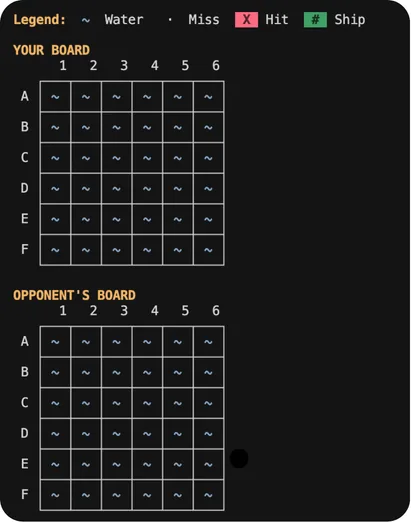
A production-quality, multiplayer turn-based Battleship game implemented in pure C using POSIX sockets and threading. This network programming project features a beautiful ANSI-colored terminal UI and custom ship shapes inspired by Sea Battle 2.
The game demonstrates mastery of low-level systems programming: socket communication, multi-threading, mutex synchronization, and binary protocol design. It works seamlessly across different machines on the same network.
Tech Stack
Key Features
- 6×6 grid with classic battleship mechanics
- Custom ship shapes including L and Z patterns
- Real TCP networking across LAN
- Client-server architecture with authoritative server
- Multi-threaded with one thread per client
- Terminal UI with ANSI color rendering
- Fog of war hiding opponent ships
- Graceful disconnect handling and reconnection
Technical Highlights
- POSIX sockets with non-blocking I/O
- Thread-safe game state with pthread mutexes
- Binary network protocol with proper serialization
- Comprehensive input validation and error handling
- Clean modular architecture with separated concerns
- CMake build system for cross-platform compilation
Architecture
Threading Model
- Main thread accepts connections and manages game state
- Client threads handle per-player message processing
- Mutex protection for all shared state access
- Condition variables for turn synchronization
Network Protocol
- Custom binary protocol for minimal bandwidth
- Message types: PLACEMENT, FIRE, HIT/MISS, GAME_OVER
- Serialization with network byte order
- Heartbeat system for connection monitoring
Game State Machine
- Server: WAITING → PLACEMENT → PLAYING → FINISHED
- Client: CONNECTING → WAITING → PLACEMENT → PLAYING → FINISHED
- State transitions triggered by network events
Challenges & Solutions
Handling race conditions in multi-threaded server
Designing a robust network protocol for game state
Implementing proper cleanup on client disconnect
Creating an intuitive terminal-based UI
Gallery
.webp)
.webp)
.webp)
.webp)